

Best OBD2 app comparison at a glance
A great app still needs compatible hardware to scan a vehicle. A free download does not include a physical car scanner. Compare the device, app, upgrades, and support for your car. FIXD wins for daily use. The other picks serve more specific needs.
App | Phones | Best for | Hardware and paid features |
FIXD | iPhone and Android | Everyday drivers | FIXD Sensor required. Free core features. Optional Premium. |
Car Scanner ELM OBD2 | iPhone and Android | Custom dashboards | Compatible ELM327 adapter. Free version with paid upgrades. |
BlueDriver | iPhone and Android | No-subscription enhanced scans | BlueDriver Sensor required. No subscription or feature add-ons. |
Torque Pro | Android | Budget performance monitoring | Compatible adapter required. Paid software. |
OBD Fusion | iPhone and Android | Graphing and logs | Compatible adapter. Paid software and optional enhanced packages. |
OBDeleven | iPhone and Android | Volkswagen Group coding | Supported OBDeleven device. Optional plans and Credits. |
Carista | iPhone and Android | Supported service functions | Compatible scanner. Advanced features require Pro. |
Carly | iPhone and Android | Brand-specific repair guidance | Carly scanner. Advanced features require an annual license. |
What does an OBD II app do?
An OBD II app shows car diagnostics from a linked adapter. OBD II means on-board diagnostics, second generation. An OBD II scanner sends data from the car to your phone. Features include fault code reading, live data, freeze-frame records, and emissions test checks. OBD system basics
Diagnostic trouble codes (DTCs), or fault codes, identify a detected condition, not automatically a failed part. P0301, for example, means a misfire in cylinder 1. Test likely causes before buying parts. Save results before you clear codes. Clearing memory does not repair the car engine and often resets readiness monitors. A flashing check engine light, severe shaking, overheating, or power loss calls for prompt attention. Pull over safely if the car behaves abnormally.
1. FIXD is best overall for everyday drivers
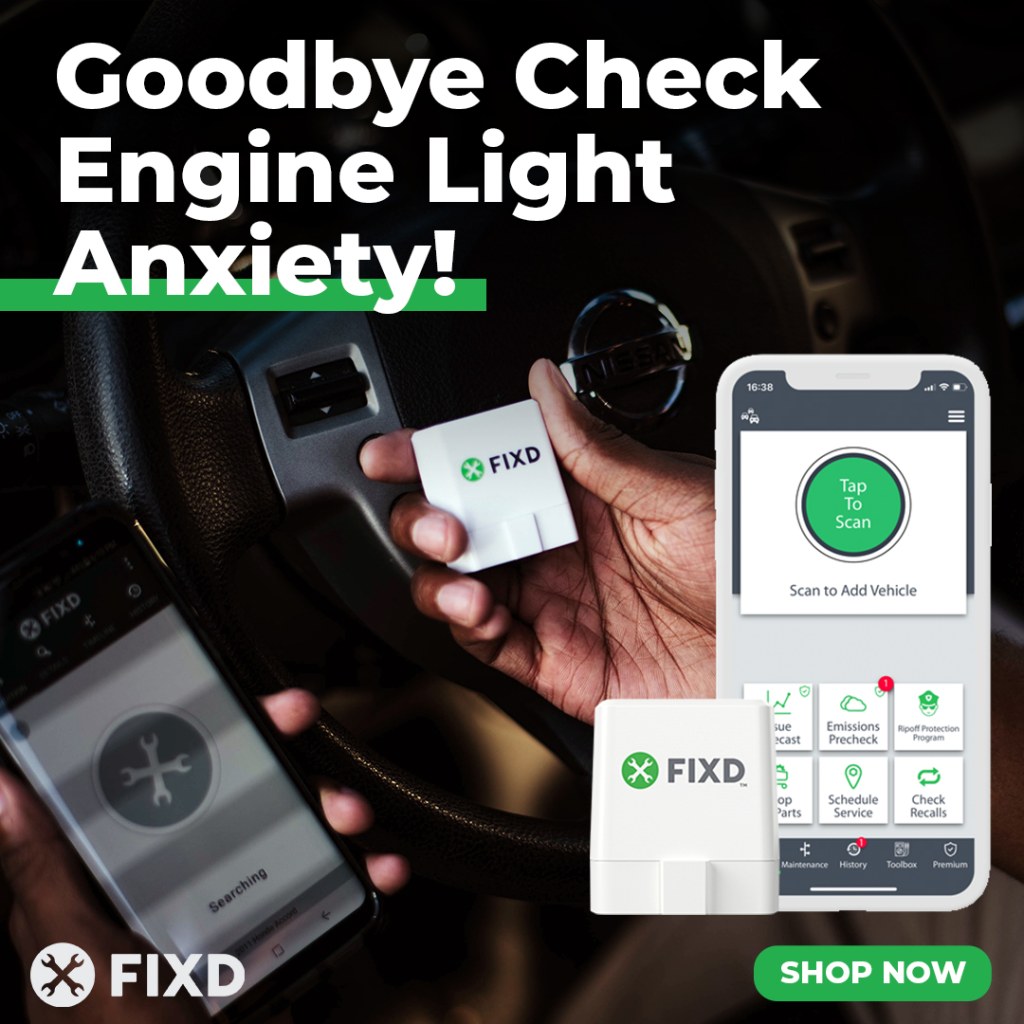
FIXD pairs a Bluetooth scanner with an app built around your questions: What does this warning mean? How serious is the issue? What should I do next? You buy the sensor, download the app, and follow the setup prompts. The FIXD car scanner sends data to your phone for clear results. Explore FIXD
FIXD ranks first for clear answers and useful daily tools. Parents and new owners need help deciding which repairs to approve. FIXD connects scanning with service reminders and saved history. The car scanner stays useful between faults, too.
What sets FIXD app apart?
FIXD makes car diagnostics less technical through plain-English explanations, severity information, and maintenance tracking. You do not need to understand parameter IDs before starting a scan. Car Scanner ELM OBD2 and Torque Pro let you build gauges. FIXD helps you grasp the issue and plan your next step. We prefer this focus for beginners.
For example, scan a warning, review the explanation, and save the report for your mechanic. Ask which test confirms the recommended repair. FIXD Premium adds cost guidance and mechanic support. Other products also explain codes, so clarity alone is not exclusive to FIXD. FIXD wins on the mix of scans, upkeep, and support.
FIXD free version for fault code reading
With a purchased FIXD Sensor, the free version includes unlimited scans, code explanations, severity, supported live data, scan history, and maintenance reminders. Basic features stay available without a Premium membership. Use the OBD II scanner to read codes before a shop visit. Save engine codes and data for your records. Track multiple cars in separate profiles.
Supported readings include coolant temp, engine speed, and fuel trims. Sensor data varies by car. Check ABS, airbag, and transmission support for your model. For active tests, module setup, or coding, choose a tool built for those jobs.
FIXD Premium for repair costs and emissions test checks
Premium adds repair-cost estimates, the Mechanic Hotline, AI Mechanic chat, vehicle history, and tools such as Emissions Precheck. Use estimates to discuss parts and labor with your shop. Costs vary by car and area. Remote advice has limits. Paid guidance is optional. The free app suits drivers who do their own research. FIXD features and plans
How much is FIXD premium?
Premium is $99.99 annually or $12.99 monthly (only available on the App Store). Offers vary by sales channel. Review the trial, renewal amount, and cancellation deadline before enrolling. A trial converts to a paid subscription unless canceled under its terms. Check the current FIXD offer and manage Premium here.
2. Car Scanner ELM OBD2 is best for custom dashboards
Car Scanner ELM OBD2 suits drivers who want control over their display. The Car Scanner dashboard includes configurable gauges and charts, plus a HUD mode to project data onto the windshield. Car Scanner includes connection profiles for supported makes and options to add custom parameters, including extended PIDs. These identifiers request readings beyond the standard set.
Car Scanner works with a compatible adapter and offers a useful free version. Paid upgrades expand access, with purchase options varying by platform. Car Scanner shows fuel consumption statistics as a trip computer on supported cars. Car Scanner ELM OBD2 also logs data for later review. Its unique features suit drivers who enjoy sensor readings. Choose FIXD for simpler setup and car-care help.
Choose the correct connection profiles before relying on results. Car Scanner offers extra features for particular vehicles, but connection profiles do not guarantee every function. Vehicle ECUs vary: these control units share different data. Sensors supported depend on the car. Car Scanner ELM users should check their model before adding gauges.
3. BlueDriver is best for enhanced fault codes without subscriptions
BlueDriver pairs its car scanner with an iPhone or Android app. The package includes Repair Reports, freeze-frame information, readiness checks, and live graphing. On supported vehicles, enhanced access reaches systems such as ABS, airbags, and transmission. Choose BlueDriver for fault codes beyond standard emissions checks.
BlueDriver charges no subscription or feature add-on fees after the hardware purchase. Manufacturer specific codes vary by model, year, and market. Choose this OBD II scanner if recurring software charges are your main objection. FIXD wins for upkeep and optional human help. BlueDriver wins for its no-fee model.
4. Torque Pro is best for budget Android performance monitoring
Torque Pro costs $4.95 on the U.S. Google Play listing checked September 11, 2026, excluding hardware. The Android app uses a Bluetooth adapter for gauges, logs, fault codes, and car performance data. This car scanner setup suits owners who want custom gauges. Torque Pro is not an iPhone recommendation.
Its strengths include graphing and exportable logs for later review. Expect to choose hardware and configure displays yourself. For skilled users, this OBD II scanner setup offers low app costs and flexible displays. Choose FIXD when explanations, severity, and service reminders matter more than building a technical dashboard. Include hardware in your cost comparison.
5. OBD Fusion is best for graphing sensor data and diagnostic logs
OBD Fusion supports iPhone and Android, with customizable dashboards, recording, and diagnostic reports. The app supports up to four graphs for comparing data on one screen. A compatible car scanner supplies the measurements. Use this app to review trends with a technician or export logs.
Enhanced diagnostics are available through in-app purchases for supported vehicle groups. Budget for software, the adapter, and any packages you need. Check adapter support before buying this app. When reading data, start with a clear question. More graphs do not always help.
6. OBDeleven is best for Volkswagen Group coding
OBDeleven suits supported Volkswagen, Audi, Škoda, and SEAT cars in the VAG group. The app offers manual coding and One-Click Apps for supported settings. A compatible OBDeleven car scanner is required. Diagnostics and live readings are included in the FREE plan for current supported devices. Coding access depends on the task and plan.
Some functions use Credits, while PRO and ULTIMATE serve different customization needs. Check the exact feature for your vehicle before paying. Choose this Bluetooth scanner for a specific supported task. FIXD better fits drivers seeking clear warnings and upkeep tips.
7. Carista is best for supported service functions
Carista combines a compatible car scanner with basic diagnostics and paid service or customization tools. On supported vehicles, Pro adds functions such as service resets and changes to selected factory settings. The car manufacturer, model, year, and installed modules determine coverage. Check each function before buying for battery or parking-brake service.
Advanced features require a Pro subscription. Carista suits owners with a clear service or settings task. FIXD better fits daily car care: warnings, upkeep, and repair questions. A clear scan does not prove a repair is complete.
8. Carly is best for supported brand-specific repair guidance
Carly pairs its scanner with basic diagnostic features and an annual license for deeper functions. Supported tools include repair guidance, enhanced scans, and coding on selected vehicles. BMW and Mercedes owners should check individual capabilities, since support for a brand does not establish support for every coding option. Choose this car scanner for a verified feature on your car.
Compare the annual license, included brands, and renewal terms before buying. Carly also provides explanations and severity guidance, so FIXD’s advantage is not exclusive access to plain language. We prefer FIXD’s mix of free tools and optional help. Choose Carly when a specific feature meets your needs better.
How to choose an OBD II scanner and compatible app
Start with vehicle compatibility, then phone support. Most vehicles built for the U.S. market since 1996 use OBD II for emissions checks. Verify imports, diesels, and EVs separately. The FIXD homepage has a compatibility tool for your car.
A car scanner reaching standard OBD fault codes does not guarantee access to every module. Confirm the system you need before purchasing an OBD II scanner.
For Car Scanner, use the developer’s recommended adapter brands and models, including supported Vgate devices. Choose Bluetooth LE or a supported OBD II Wi-Fi adapter for iPhone. Generic Bluetooth compatibility alone is insufficient. The app requires matching hardware. Good hardware helps avoid a lost connection.
What's the best OBD2 app for an iPhone?
FIXD is our best OBD2 app for iPhone owners who want straightforward car care. Its sensor simplifies setup. The app explains the check engine light and tracks service. Choose Car Scanner for custom displays or BlueDriver for subscription-free enhanced reports. Check iOS support and car scanner coverage before buying.
What's the best OBD2 app for Android?
FIXD is our best OBD2 app for Android drivers who value clear answers and maintenance tracking. Get the FIXD app from Google Play and pair the sensor. Torque Pro is the stronger budget specialist for configurable performance displays. Car Scanner also suits Android owners who enjoy customizing their car scanner interface. Choose the app to fit your needs. FIXD on Google Play
What is the best OBD2 scanner without a subscription?
BlueDriver is our pick for enhanced diagnostics and repair reports without recurring fees. FIXD is also a subscription-free option for core scanning, explanations, and maintenance after purchasing the sensor. Premium support costs extra. Separate a one-time purchase of hardware from app fees. Check in-app purchases before comparing totals. Pick the features you will use.
Can I use my phone as an OBD scanner?
Yes, with compatible hardware. Plug a car scanner into the diagnostics socket to link your phone and car. The app alone does not give your phone access to vehicle systems. Is there a good car OBD scanner app? Yes, FIXD suits daily use. Park safely, connect the device, and follow the manufacturer’s ignition and pairing instructions. Save results before changing anything. A phone camera does not replace this connection.
What OBD scanner do most mechanics use?
No reliable market-share evidence establishes one scanner as most mechanics’ choice. Professional options include Snap-on, Autel, and factory systems. Coverage and repair tasks drive the choice. A workshop needs functions beyond a basic code reader, including supported active tests and service procedures. For everyday scan results and upkeep, choose the FIXD Sensor and app after checking compatibility.

Jonathan is a writer with over 10 years of experience and a former insurance agent. Jonathan’s focus is to simplify personal finance and help equip you with the tools you need to make smart financial decisions. Despite the criticisms, he remains committed to driving a manual transmission and prides himself on smooth shifting, even in rush-hour traffic.